

Yesterday, I planned all my LinkedIn and email content for the next month.
40+ pieces total.
And it was a game-changer.
See, I already batch my content writing every week.
But I used to show up to those writing sessions without knowing what I was going to create.
So as a result, I’d spend the first 30-60 minutes just deciding what to write about.
No bueno.
So I made an upgrade to my process:
Instead of figuring out the “what” each week, I now batch the planning and decision-making for the entire month upfront.
That way, when I show up to my weekly writing sessions, I can skip straight to writing.
Now you might be wondering:
“Where do you get all these content ideas from?”
Well, these are the 4 places I check to mine ideas I can actually use to grow my audience AND my business:
Source 1: My Daily Journal
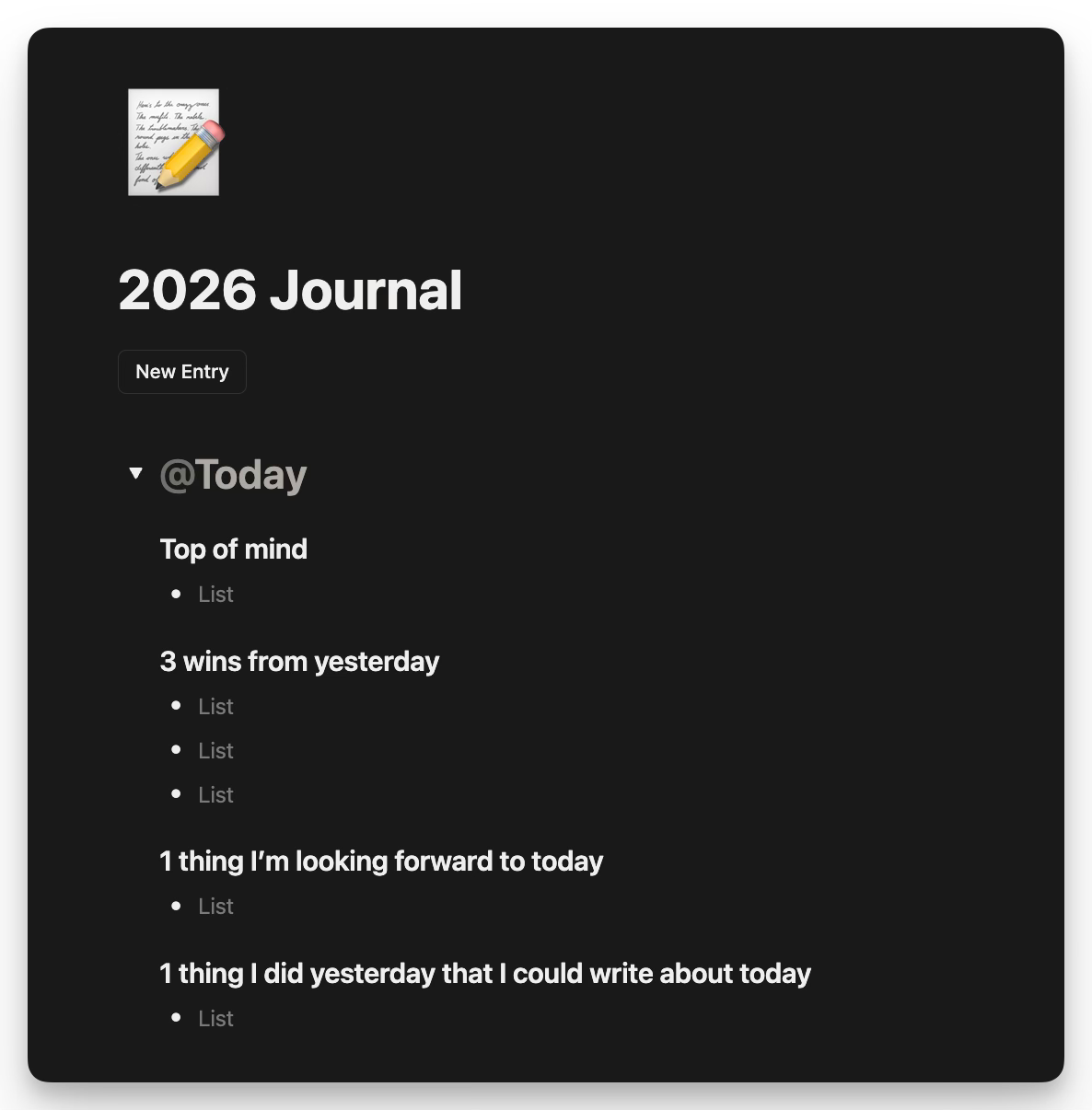
Every day, I ask myself a few reflection questions in Notion.
One of them is:
“What’s 1 thing I did yesterday that I could write about today?”
This captures tactics and systems I’ve been working on while they’re fresh.
Then, when I’m looking for content ideas, I always have tons of potential good ones waiting for me in my journal.
Here’s the thing most people miss:
If you’re a subject matter expert (or you’ve been working in an industry for a while), there’s a VERY high likelihood you spend your days working on interesting things you could turn into content.
The problem is... we take all that expertise, experiences, and insights for granted.
This simple journaling prompt fixes that.
Source 2: My To-Do List
This is another super helpful bucket.
By reviewing the things I’ve been working on over the past few weeks, I can always find stuff I’m already doing and thinking about - and share it as content.
Documenting what you’re working on is one of the best ways to create content without taking a lot of time.
And the nice part?
This type of content usually generates business results - because it forces you to demonstrate your expertise.
Look for:
Recurring weekly tasks
Big projects you’re wrapping up
New, shiny projects you’re starting to work on
This will give you an awesome mix of (1) frameworks you use all the time, (2) fresh insights & learnings from big endeavors, and (3) exciting build-in-public updates.
Source 3: My LinkedIn Content
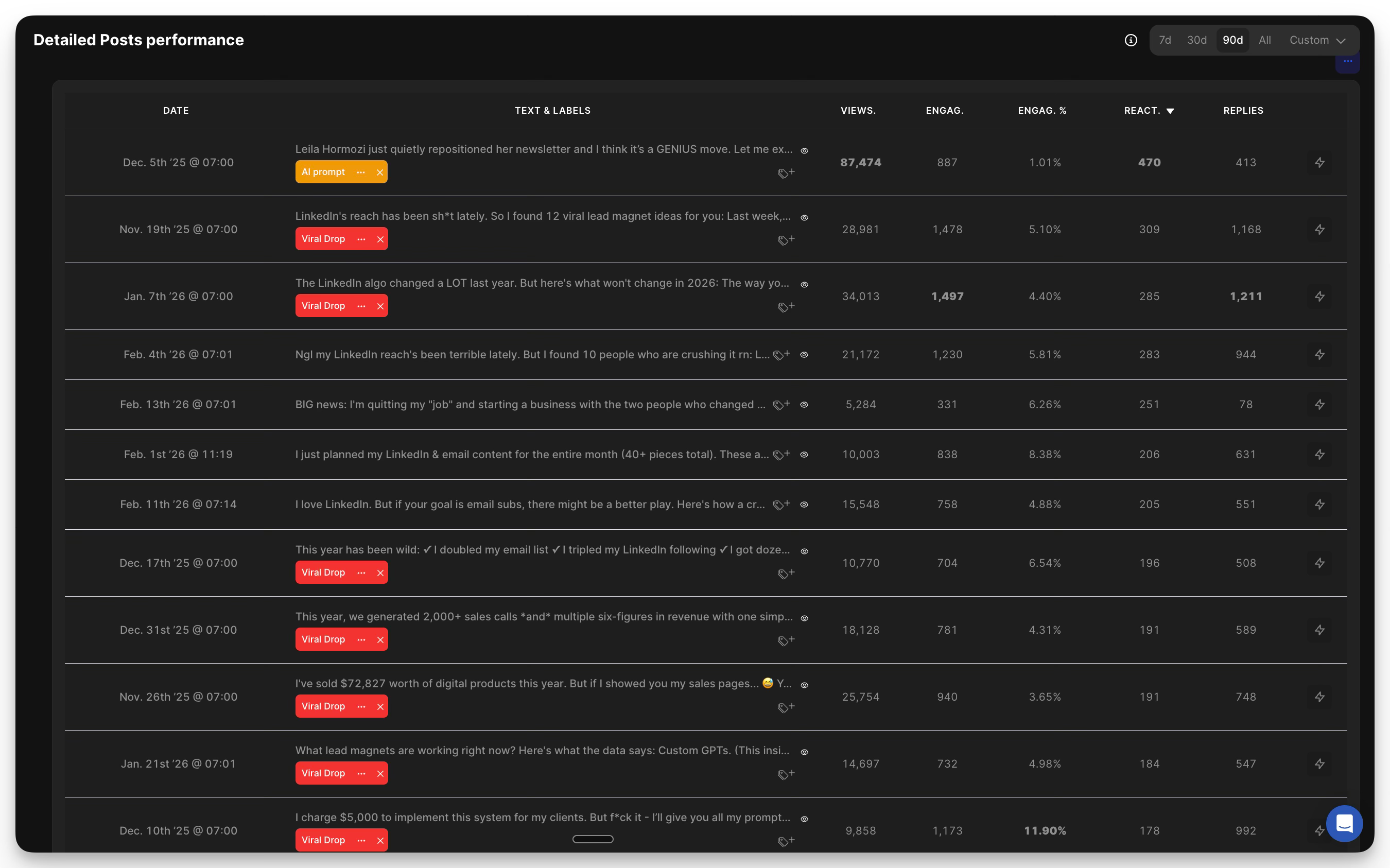
I export my posts from the past 90-120 days (with engagement metrics).
Now, these are the things I always look for:
Trends or topics that are performing well. From there, I try to ideate similar angles I could experiment with.
Posts I made 90+ days ago that I could potentially repurpose. A lot of people don’t realize this, but your best content from 3+ months ago can (and should) absolutely be reposted.
Most of your audience didn’t see it the first time anyway.
Source 4: Sales Call Transcripts
Lastly, I review recent sales calls and look for patterns:
Questions prospects keep asking
Objections that come up repeatedly
Problems they describe in their own words
Frameworks I find myself explaining over and over
If I’m explaining something on every call, that’s a signal I should write about it.
The best part?
I know these ideas are valuable because I was able to “validate” them live as I shared them on the call.
The Big Unlock
Now, this isn’t necessarily a super revolutionary idea.
You could’ve done all of this manually before.
But here’s what changed for me:
I was able to run this entire workflow in a much smoother way than ever before.
All because of 2 new Claude features:
Claude Cowork
Claude Skills
Let me explain both.
How Claude Cowork Works
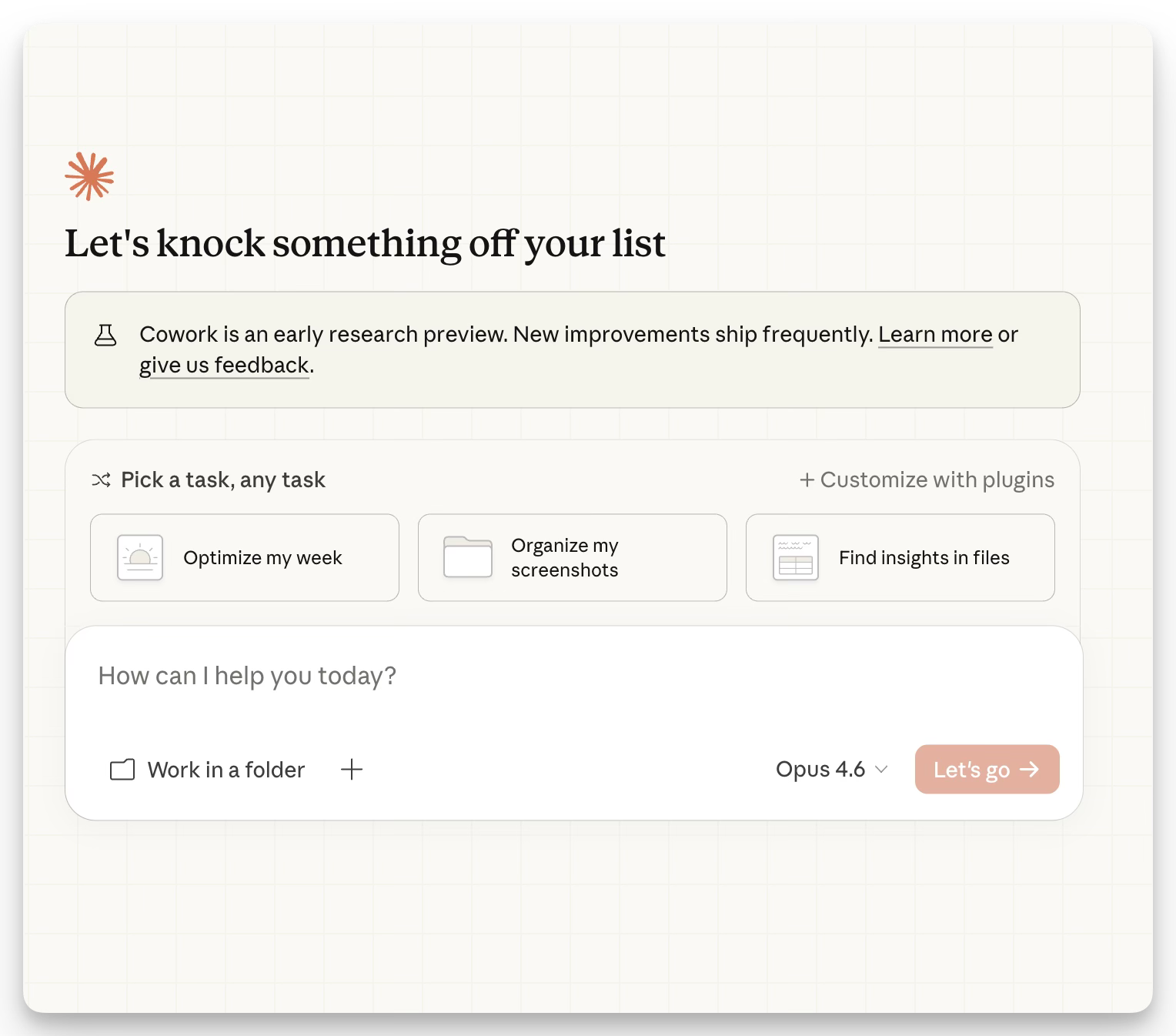
Cowork is a Claude feature that lets you connect your apps - like Notion, Google Drive, etc.
Once connected, you can just tell Claude to look for your pages and documents and extract information from there.
This is extremely nice because you suddenly get rid of all the copy-pasting and file uploading.
You just connect Claude to your “source of truth” and it finds the information you’re looking for.
For this workflow, I connected my Notion account.
Then I told Claude to:
Pull from my daily journal entries
Review my to-do list and recent tasks
Analyze my LinkedIn content tracker
Extract patterns from my sales call notes
And it just... did it.
Without having to copy-paste or upload any files.
Even better…
Once I decided what I was going to write for the month, Claude actually created the content shells inside my Notion tracker for me.
(Yes, it can also create and do things for you inside your other tools.)
Now, here’s the second unlock:
How Claude Skills Work
The easiest way to think of a Skill:
It’s a “downloadable” prompt that you can install into your Claude account once - and then it works forever.
Instead of having to copy/paste the same prompt every time, you just “install” the Skill and Claude knows how to run the workflow whenever you ask.
So after completing this content ideation process once, I turned it into a Skill that you and I can use to effortlessly run this workflow over and over again in the future.
And of course - I’m going to share it with you :)
The Content Ideation Skill
This skill with:
Ask you clarifying questions ONE AT A TIME
Mine 5-10 ideas from each of the 4 sources I explained above
Present ideas with rationale so you can flag your favorites
Compile a master list organized by format (newsletter vs LinkedIn)
Confirm your final ideas for the month
Click here to install my Content Ideation Skill into your own Claude account.
Don’t forget to connect your Notion account beforehand so you can run this workflow!
Now, go give it a try and let me know how it goes.
Talk soon,
Daniel
The agentic AI built into Notion does all this. Is there a particular reason for using Claude to do all this?
@Daniel Could you please send the newsletter value prop formula once more or let me know in which newsletter I can find it.